---
title: "Docker Manager for Mac | Native Docker GUI · WhaleDeck"
description: "Manage Docker hosts from a beautiful native Mac GUI. Monitor containers, inspect logs and resources, and use widgets, Shortcuts, and Siri without replacing your Docker runtime."
canonical_url: "https://whaledeck.app/macos"
meta:
author: typ0genius
"og:description": "Manage existing Docker hosts from a beautiful native Mac GUI with container monitoring, logs, widgets, Shortcuts, and Siri."
"og:image": "https://whaledeck.app/images/social.jpg"
"og:title": "WhaleDeck for Mac | Docker Manager for macOS"
---
> Index of every page on this site: [llms.txt](https://whaledeck.app/llms.txt)
# Docker management for Mac.
Beautifully simple.
Manage Docker hosts through a beautiful native Mac app for containers, logs, resources, and automation. WhaleDeck is a graphical management client—it does not replace the Docker runtime that runs your containers.
[**Download free for Mac **](https://apps.apple.com/app/whaledeck/id1581548562)
Manage one server for free. Optional one-time Pro upgrade.
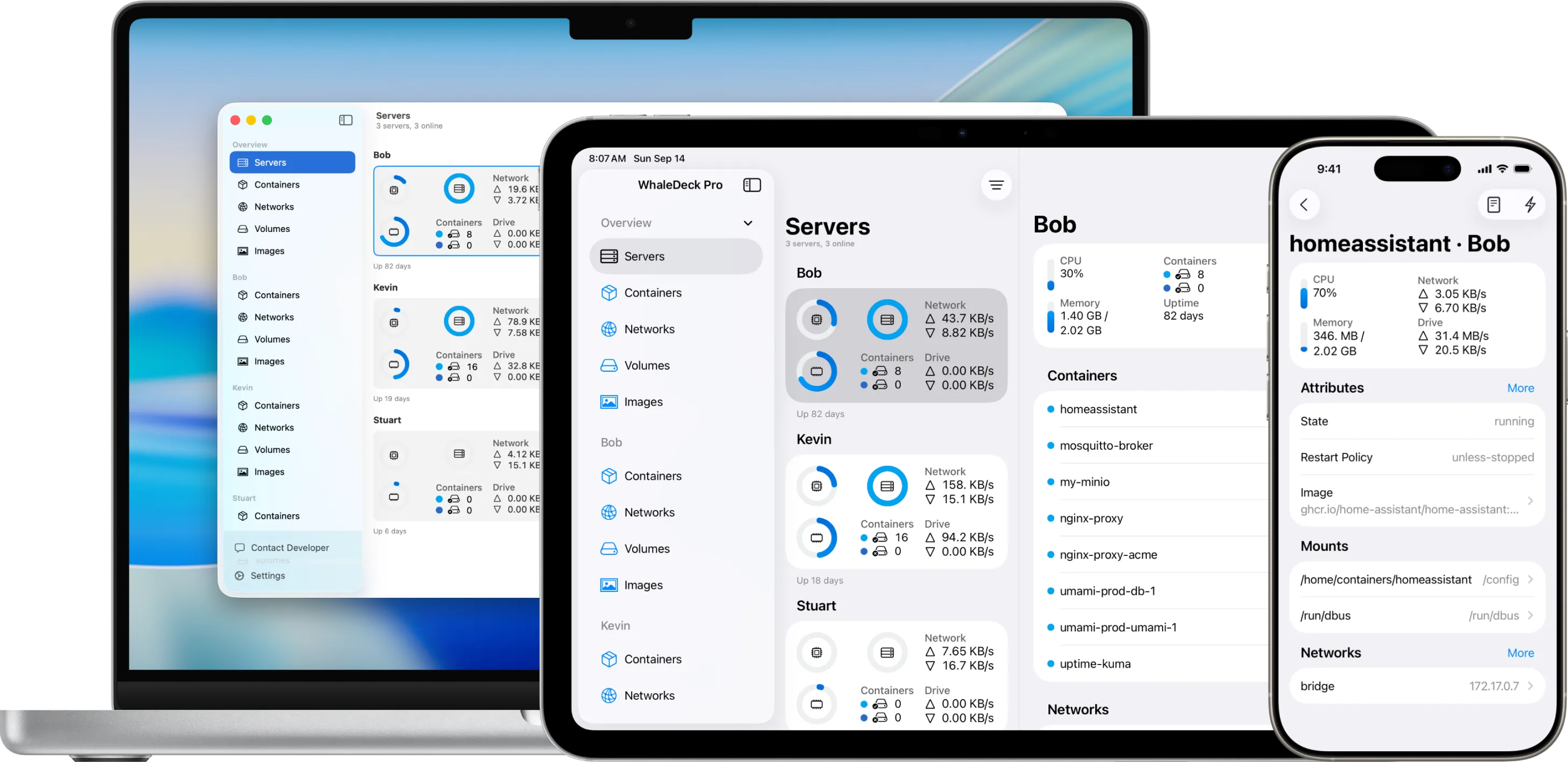
## Stop wrestling with Docker commands.
WhaleDeck puts powerful Docker management at your fingertips with a Mac-friendly interface that keeps complex container operations simple and accessible.
Inspect resource usage, mounted volumes, and connected networks directly in WhaleDeck. Review ports, restart policies, and logs without switching to the terminal.
- ### Mac-ready server coverage
- Manage Docker on Linux, Synology DSM, and local macOS hosts directly without extra setup.
- ### Desktop widgets for Mac
- Pin WhaleDeck widgets to the Mac desktop for instant container status, with optional companions on other Apple devices.
- ### Mac Shortcuts automation
- Automate container tasks using the Shortcuts app—restart services, run health checks, or trigger notifications from the Mac dock.
- ### Siri on the Mac
- Ask Siri for server overviews or to control containers with hands-free commands.
- ### Single purchase across Apple
- Unlock WhaleDeck on Mac and keep everything in sync with iCloud across your Apple devices.
- ### Secure SSH connections
- Securely connect to remote Docker hosts using built-in SSH and private key management.
## Everything Mac teams need to take action
### Visual container control built for Mac
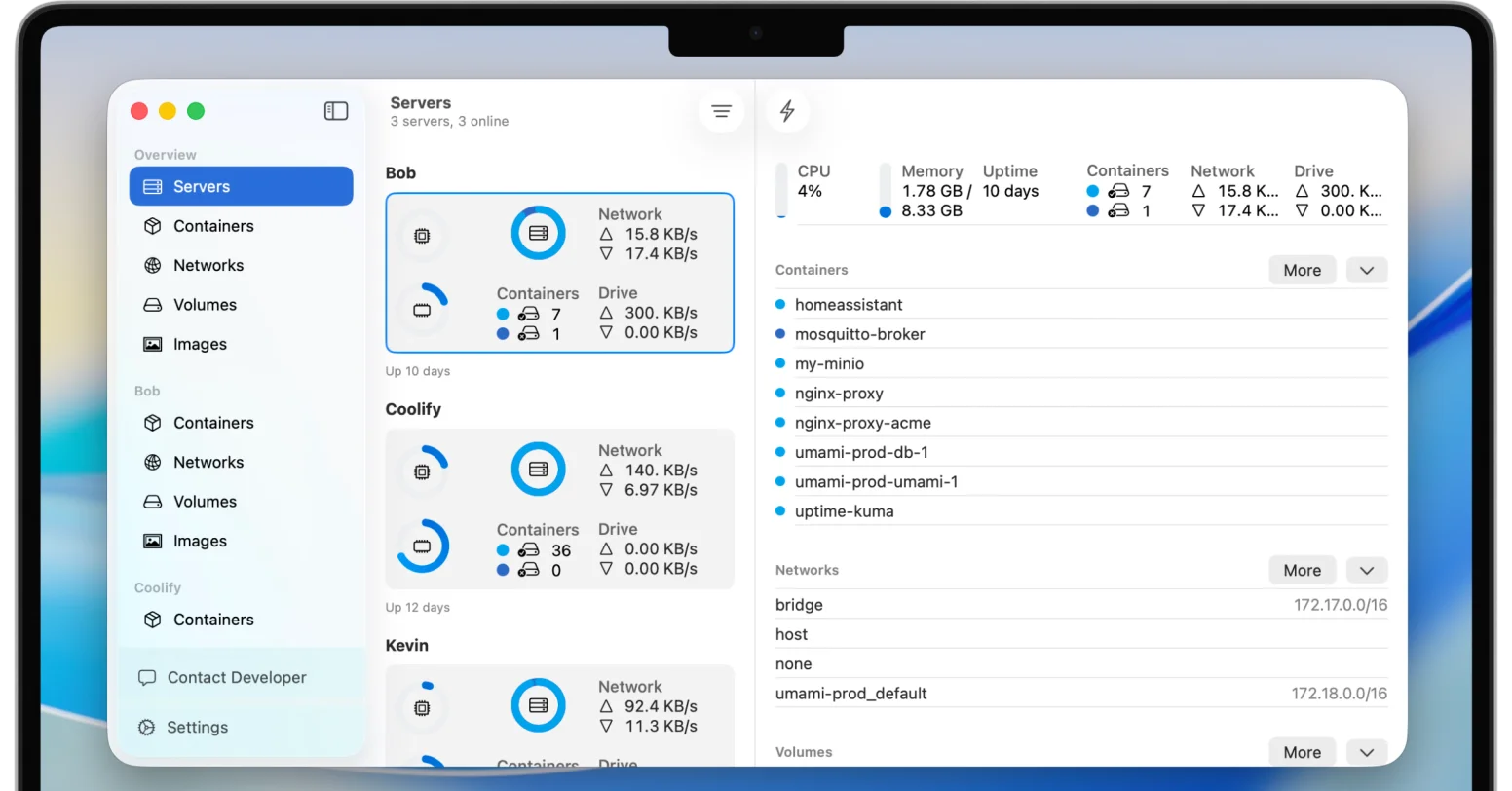
Skip the terminal and manage containers in a clean Mac interface. Control the entire container lifecycle with simple clicks and gestures.
Monitor live statistics, check resource usage, and read logs without memorizing complex Docker commands.
### Complete container details, tailored to Mac
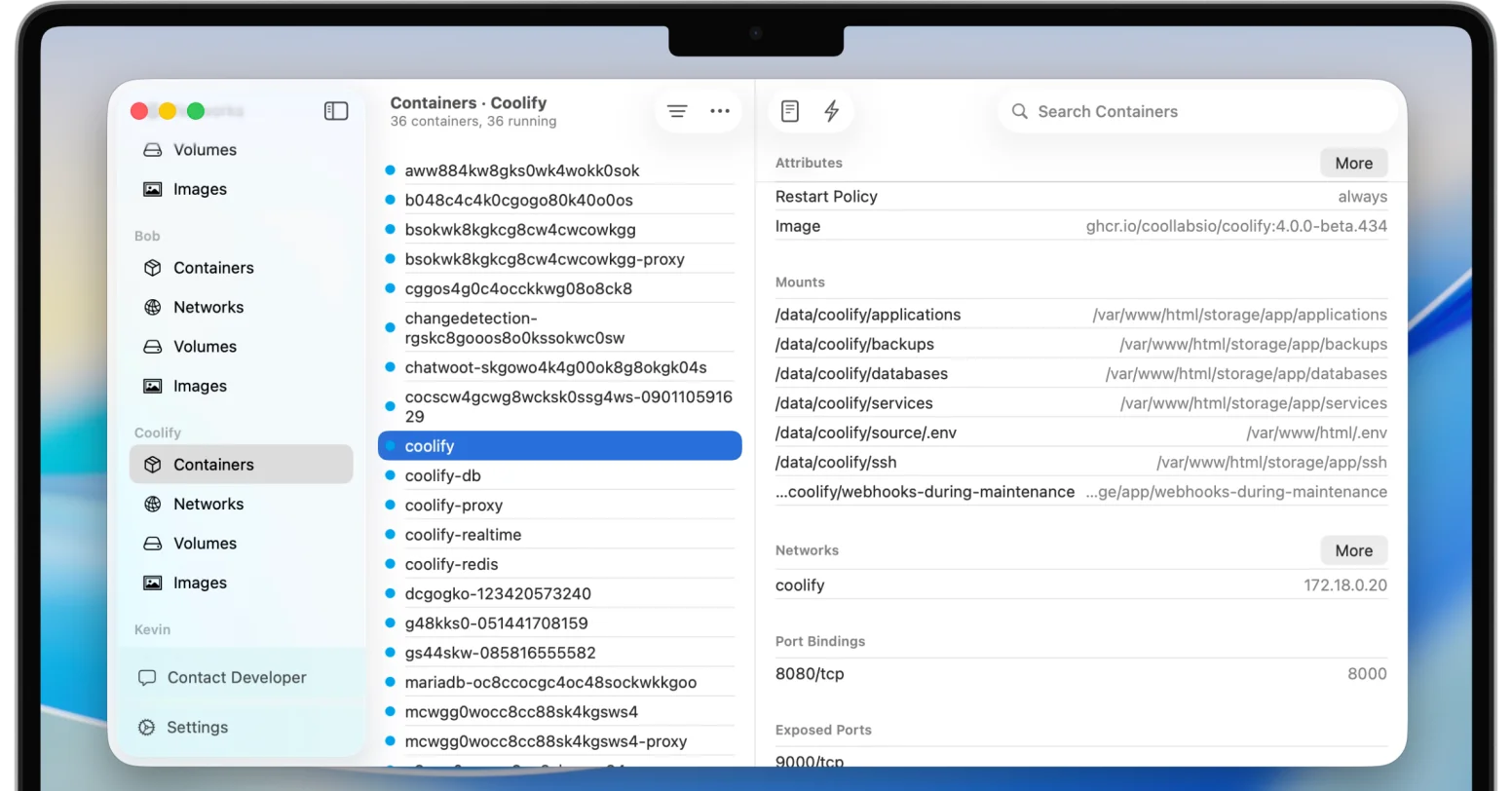
Explore port mappings, volume mounts, environment variables, and network settings from a single Mac dashboard.
Access detailed statistics, review container properties, and tidy up services without leaving WhaleDeck.
### Images, networks, and volumes at a glance
Inspect subnet configuration, drivers, and connected containers with a quick glance in WhaleDeck.
Review sizes, creation dates, labels, and dependencies for every Docker component without juggling terminal windows.

## Works with the Apple tools you already use
### Shortcuts Automations
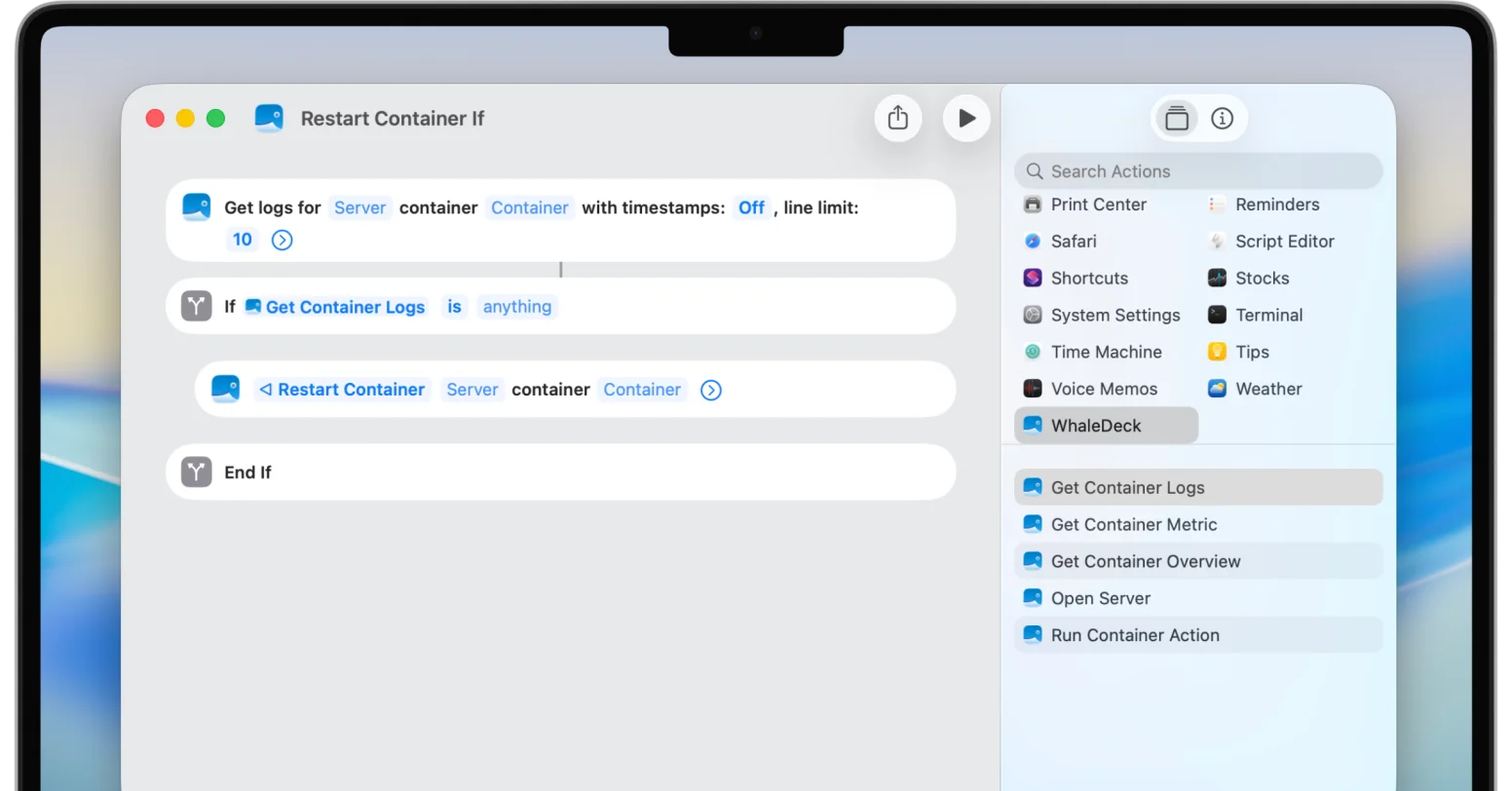
Build powerful workflows with the Shortcuts app on macOS. Restart containers when logs show errors, schedule daily backups, or trigger instant alerts when something goes down.
From quick voice commands to advanced multi step automations, WhaleDeck fits naturally into your Apple setup.
### Native Widgets
Add widgets to your Home Screen and Lock Screen on iOS or right to your Mac desktop. Check container status and server metrics at a glance without opening the app.
Choose between a complete overview of all servers and containers or focus on detailed stats for a single server. The widgets adapt to the way you want to monitor your infrastructure.

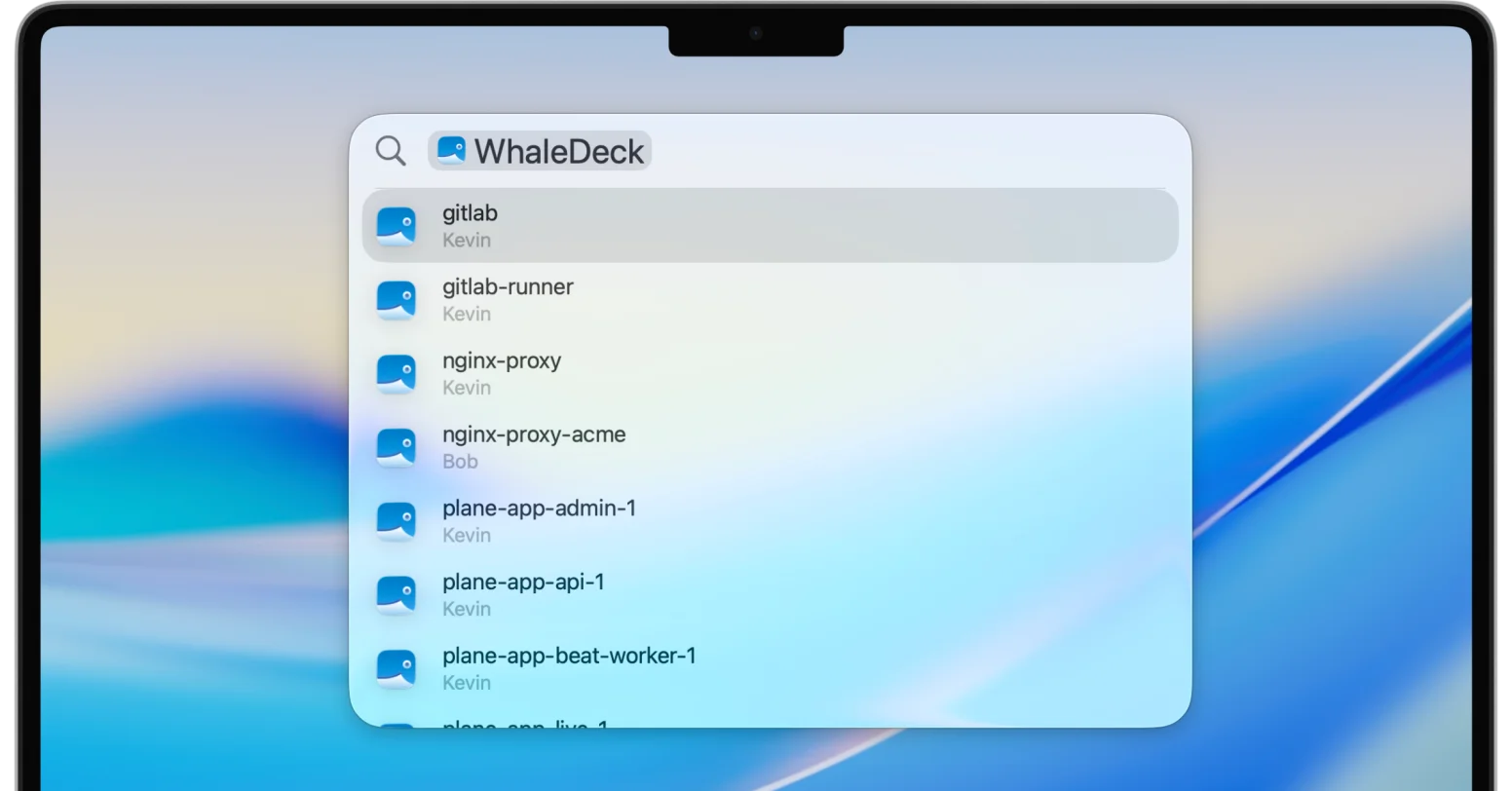
### Always in Spotlight
Find containers and servers directly through Spotlight search. Just type a name and access it instantly without browsing inside the app.
All Docker resources are indexed locally on your device so you can quickly access them without opening WhaleDeck beforehand.
## Crafted by typ0genius for Mac developers
[Explore typ0genius](https://typ0genius.com)
**Created by a passionate **indie developer** who builds and ships on the Mac every day. **
**Direct **support** via contact form, email, and Discord—tailored for Apple developers. **
**Your **privacy comes first**. No data is shared or sold—only devices you trust hold the keys. **
[**Download free on the App Store **](https://apps.apple.com/app/whaledeck/id1581548562)
One purchase unlocks iPhone, iPad, and Mac.
```json
{"@context":"https://schema.org","@graph":[{"@id":"https://whaledeck.app/#website","@type":"WebSite","description":"A native Docker manager for iPhone, iPad, and Mac that connects to existing Docker hosts without requiring a companion package.","name":"WhaleDeck","url":"https://whaledeck.app/","publisher":{"@id":"https://whaledeck.app/#organization"}},{"@id":"https://whaledeck.app/macos#webpage","@type":"WebPage","dateModified":"2026-07-23","datePublished":"2023-01-01T00:00:00.000Z","description":"Manage existing Docker hosts from a native Mac GUI with container monitoring, logs, resources, widgets, and automation.","inLanguage":"en-US","name":"WhaleDeck for Mac - Docker Manager for macOS","url":"https://whaledeck.app/macos","about":{"@id":"https://whaledeck.app/#software"},"isPartOf":{"@id":"https://whaledeck.app/#website"},"potentialAction":[{"@type":"ReadAction","target":["https://whaledeck.app/macos"]}],"primaryImageOfPage":{"@type":"ImageObject","url":"https://whaledeck.app/images/overview/mac.webp","inLanguage":"en","contentUrl":"https://whaledeck.app/images/overview/mac.webp"}},{"@id":"https://whaledeck.app/#organization","@type":"Organization","email":"mail@whaledeck.app","logo":"https://whaledeck.app/images/logo.png","name":"WhaleDeck","url":"https://whaledeck.app","founder":{"@type":"Organization","@id":"https://typ0genius.com/#organization","name":"typ0genius","url":"https://typ0genius.com","logo":"https://whaledeck.app/images/typ0genius.jpg","sameAs":["https://apps.apple.com/us/developer/florian-seida/id1503312095","https://x.com/typ0genius","https://bsky.app/profile/typ0genius.com"]},"hasPart":[{"@type":"WebSite","name":"WhaleDeck Docs","url":"https://docs.whaledeck.app/apple"}],"sameAs":["https://apps.apple.com/app/whaledeck/id1581548562","https://twitter.com/whaledeck_app","https://www.reddit.com/user/Whaledeck/","https://bsky.app/profile/whaledeck.app"]},{"@id":"https://whaledeck.app/#software","@type":"SoftwareApplication","applicationCategory":"BusinessApplication","description":"Manage existing Docker hosts from a native macOS app. Monitor containers, inspect logs and resources, and use widgets, Shortcuts, and Siri.","name":"WhaleDeck","operatingSystem":"macOS","url":"https://whaledeck.app/macos","author":{"@id":"https://typ0genius.com/#organization"},"offers":{"@type":"Offer","availability":"https://schema.org/InStock","price":"0","priceCurrency":"USD","url":"https://apps.apple.com/app/whaledeck/id1581548562","priceValidUntil":"2027-12-30T00:00:00.000Z"},"publisher":{"@id":"https://whaledeck.app/#organization"}}]}
```
## Sitemap
See the full [sitemap](https://whaledeck.app/sitemap.md) for all pages.