
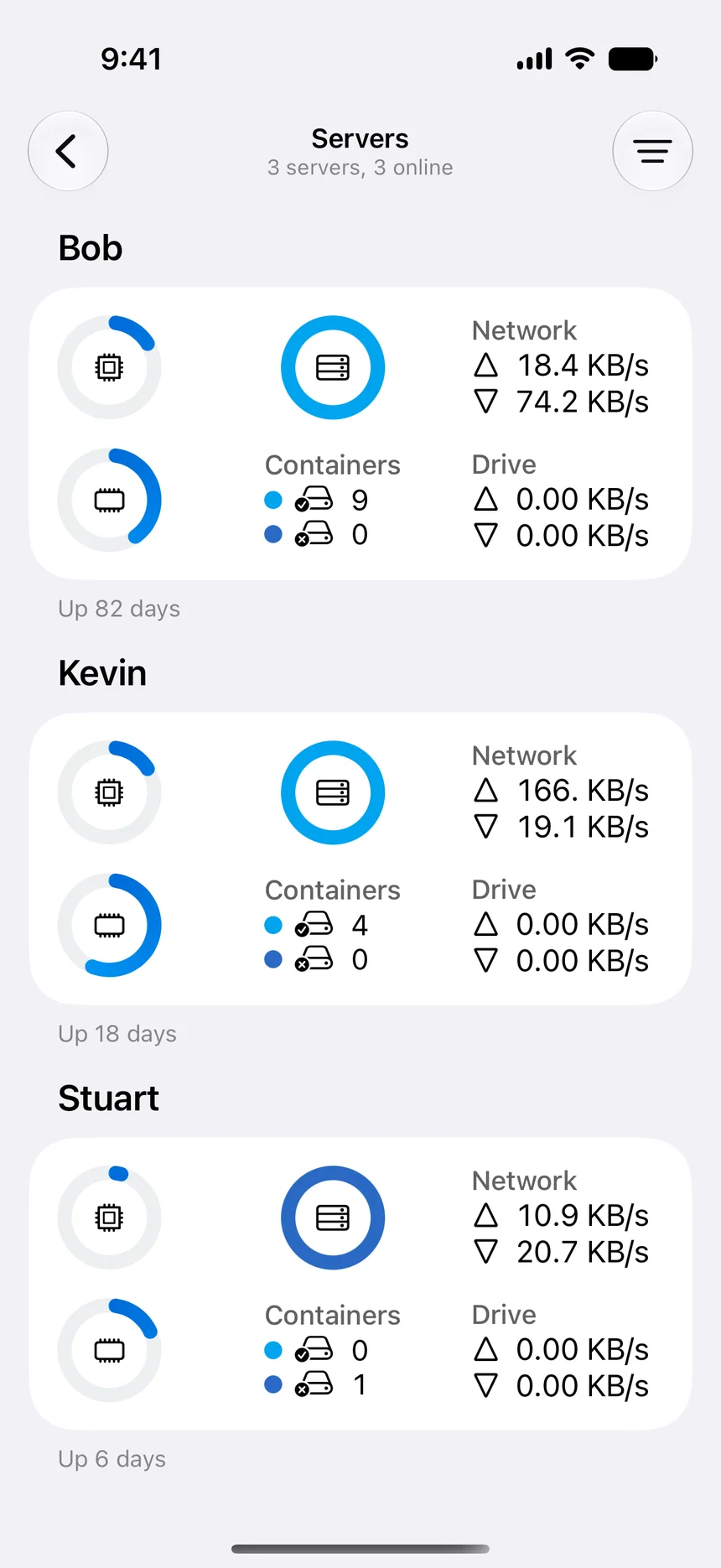

No companion package
Reach remote Docker environments from Apple devices through SSH without installing a separate WhaleDeck agent or maintaining browser sessions.
Remote management
Manage remote Docker servers from iPhone, iPad, and Mac through SSH with native container controls, logs, resources, and no companion server package.
Manage one server for free. Optional one-time Pro upgrade.
WhaleDeck is a native remote Docker management client for Apple devices. It connects through SSH to Docker environments running on servers, NAS systems, and development machines, then provides graphical inspection and lifecycle controls without requiring a companion package or exposed Docker API.
Remote management should simplify operations without disguising their power. Docker access can affect containers, images, networks, volumes, host mounts, and exposed ports, so a convenient client still needs a secure transport, distinct identities, and clear targets.
WhaleDeck provides the client layer. Your Docker hosts remain where they are, and the app organizes them into named connections available from iPhone, iPad, and Mac. This makes routine work accessible while preserving the separation between the control surface and the infrastructure.
Reach remote Docker environments from Apple devices through SSH without installing a separate WhaleDeck agent or maintaining browser sessions.
Use protected connection workflows and keep the Docker daemon away from unauthenticated public exposure.
Inspect containers together with images, networks, volumes, logs, ports, mounts, and server resources.
A remote Docker client does not move or duplicate workloads. It sends authorized requests to Docker Engine and renders the response. Containers continue to use the host CPU, memory, storage, network, and persistent volumes. The client can disconnect without stopping the services it manages.
This architecture supports different environments with the same interface. A developer can inspect a local runtime from a Mac, a home server from an iPad, and a remote Linux host from an iPhone. Each connection should be clearly named and scoped so the environment is obvious before any action.
Docker documents SSH and mutually authenticated TLS as protected options for remote access. An insecure TCP endpoint can grant extensive control to anyone who reaches it. WhaleDeck should be part of a secure architecture that also includes firewall rules, private networking or VPN access, credential rotation, and updated hosts.
Use unique keys where practical and remove access promptly when a device or account is retired. Review Docker group and socket permissions on Linux because the ability to control Docker can provide host-level capabilities. Device biometrics are useful, but they do not replace host and network controls.
A graphical interface removes the need to remember command syntax for common tasks. You can inspect a container, read logs, review relationships, or change lifecycle state directly. It should still show enough context to understand the target and consequences.
Destructive operations deserve extra care. Removing a volume can delete persistent data, pruning images may affect rollback plans, and restarting a stateful service can interrupt writes. Use the interface to gather context and reserve complex changes for a reviewed workflow when necessary.
As the number of hosts grows, naming and ownership become part of safety. Include purpose and environment in connection names, keep production visually distinguishable, and avoid sharing one credential across every host. Document which services are safe to restart and which require an approved procedure.
A multi-device client can improve continuity, but every device should follow the same access policy. Remove outdated connections, review credential use, and verify that iCloud or device synchronization behavior matches the security requirements of the environment.
Yes. WhaleDeck connects to remote Docker hosts through SSH and uses the host Docker command-line interface for supported inspection and management operations.
No. Port 2375 conventionally represents insecure Docker TCP access. Keep it closed and use WhaleDeck through SSH, preferably with private networking and firewall restrictions.
Yes. WhaleDeck is designed around multiple named server connections, subject to the features available in the selected plan.
No. The interface is easier to use, but the underlying permissions remain powerful and must be protected accordingly.