
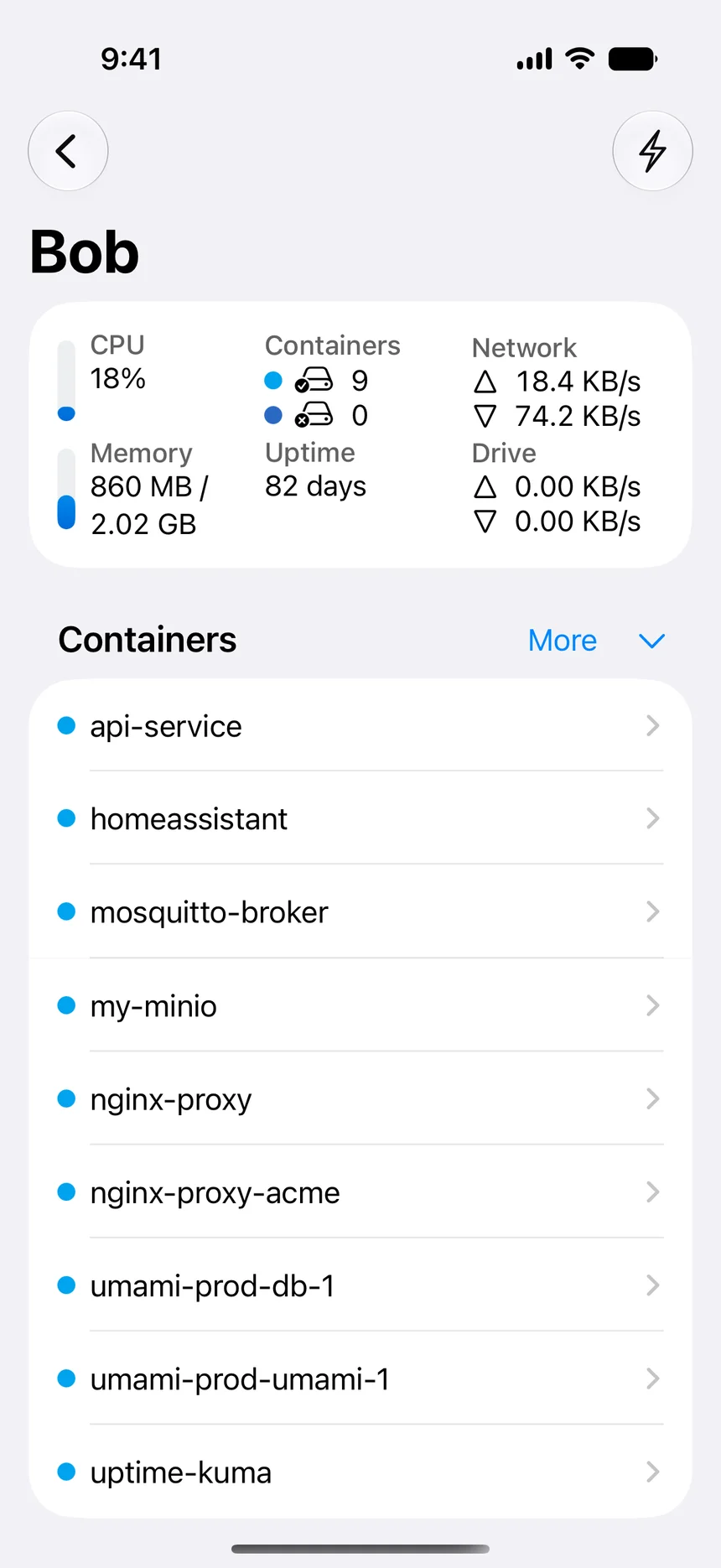

Container control in your pocket
Start, stop, restart, inspect, and verify containers without navigating a terminal on a small screen.
WhaleDeck for iPhone
Manage remote Docker hosts from your iPhone with a native GUI for containers, logs, resources, widgets, and Shortcuts. No companion server package required.
Manage one server for free. Optional one-time Pro upgrade.
WhaleDeck is a native Docker manager for iPhone that connects to existing Docker hosts without requiring an additional companion package. Docker continues to run on your server, NAS, or Mac while the iPhone provides a secure interface for checking status, reading logs, inspecting resources, and performing controlled container actions.
Docker does not need to run directly on the iPhone for the phone to become a useful operations tool. WhaleDeck connects the device to Docker environments you already operate and translates the most common inspection and lifecycle tasks into a touch-first interface.
The iPhone experience is designed for moments when opening a laptop is unnecessary or impossible: checking whether a service is running, understanding an alert, reading recent output, or restarting a known stateless container. Deeper configuration work remains on the server or development machine where it belongs.
Start, stop, restart, inspect, and verify containers without navigating a terminal on a small screen.
Compare recent output with container state, CPU, memory, ports, mounts, networks, and restart policy.
Use widgets, Spotlight, Siri, and Apple Shortcuts to reach important servers and routines faster.
Docker Engine relies on operating-system capabilities that are not provided as a normal iPhone workload. A mobile Docker manager therefore acts as a client. It sends authorized requests to a Docker host and presents the response on the phone. This architecture keeps containers, images, networks, and persistent data on infrastructure designed to run them.
That separation is useful operationally. The server remains available when the phone is offline, and the phone does not become part of the application runtime. You can replace or update the client without moving workloads, and the same iPhone can switch between a development machine, home server, NAS, or remote Linux host.
Docker administration can provide powerful access to the host. WhaleDeck therefore connects through SSH instead of requiring an unauthenticated Docker socket exposed to the internet. Network restrictions, unique credentials, and a clear revocation process remain important even when the mobile interface feels simple.
Name connections so that production, staging, lab, and local systems cannot be confused. Confirm the server and target container before changing state. The interface removes command syntax, but it should never remove the context required to make a safe operational decision.
The strongest phone workflows are focused. Open a server overview, identify an exited or restarting container, inspect recent logs, compare resource values, and review its ports, mounts, image, and networks. If the evidence points to a safe transient failure, run the appropriate lifecycle action and watch the startup result.
Large Compose edits, secret rotation, database recovery, and destructive cleanup require more context and should move to a workstation. WhaleDeck is most valuable when it shortens the path from notification to understanding, then helps you choose whether the incident can be handled immediately or needs a deeper session.
A widget can keep selected server or container state visible without opening the app. Spotlight can find a known target by name. Shortcuts can retrieve an overview or run a narrowly scoped action. Siri can provide another entry point for routines where a spoken phrase is appropriate.
These features should complement monitoring rather than replace it. Reliable alerts, history, and escalation still belong in an observability system. The iPhone becomes the investigation and control surface that you can reach immediately after the alert arrives.
Not as a normal Docker Engine host. WhaleDeck manages Docker running on another machine while the iPhone acts as the native client.
Yes. WhaleDeck can present the recent log stream exposed by the Docker host, together with container state and operational details.
Yes, when the connection has permission. Confirm the server, container, workload state, and recent logs before restarting it.
No. WhaleDeck connects through SSH and uses the Docker tools already available on the host, so you do not need to install a separate WhaleDeck agent or expose an unauthenticated Docker socket.
It can be when the Docker host, transport, credentials, network, and device are configured securely. Do not expose an unauthenticated Docker socket.