
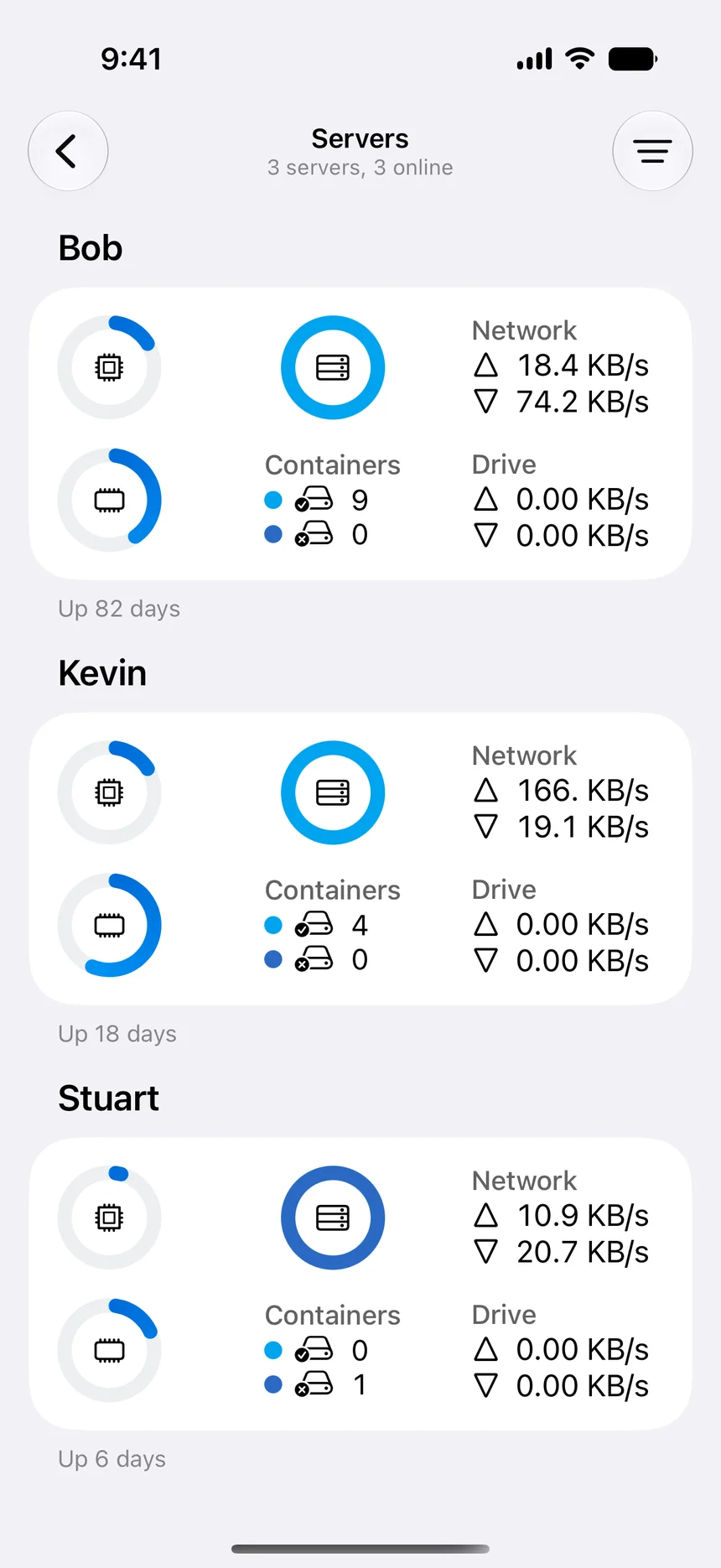

Named server inventory
Keep Docker environments organized by purpose instead of remembering addresses and command contexts.
Multiple servers
Organize and manage multiple Docker hosts from iPhone, iPad, and Mac with named connections, server overviews, container controls, and shared workflows.
Manage one server for free. Optional one-time Pro upgrade.
WhaleDeck can organize multiple Docker server connections in one Apple-platform client. Clear naming, separate credentials, environment context, and consistent inspection workflows help operators switch between hosts without treating every server as interchangeable.
One Docker host is easy to remember. Several home-lab machines, NAS systems, development runtimes, and remote environments quickly create operational friction. Browser bookmarks and shell aliases can reach them, but they do not automatically provide a consistent overview or prevent target confusion.
WhaleDeck turns each host into a named connection available from iPhone, iPad, and Mac. The shared interface makes routine inspection familiar while the underlying credentials, networks, workloads, and risk remain specific to each server.
Keep Docker environments organized by purpose instead of remembering addresses and command contexts.
Inspect containers, images, networks, volumes, logs, and host resources through one interface.
Reach the same operational model from a phone, tablet, or Mac according to the depth of the task.
A connection name should make environment and purpose obvious. Include production, staging, development, home lab, location, or owner where appropriate. Avoid several entries named only after an IP address. The target should be recognizable before the operator opens a container or changes state.
Production systems should be visually and procedurally distinct. Document which services can be restarted directly and which require approval, backup confirmation, or a maintenance window. A unified interface must not flatten meaningful differences in risk.
Sharing one SSH key across every host makes onboarding simple and revocation difficult. Use separate identities or groups based on the environment and ownership model. Restrict each host through firewall rules, private networking, VPN access, and the least permissions that still support the required operations.
Review connection inventories regularly. Remove retired servers, duplicated entries, old accounts, and credentials from devices that no longer need access. The application can organize access, but lifecycle management remains an infrastructure responsibility.
A server overview helps identify which host is unreachable or under pressure. Resource values become useful when interpreted against that host role and workload. A small NAS, build machine, and production server have different normal ranges and recovery options.
Keep host-specific notes and monitoring where needed. Use WhaleDeck for current Docker inspection and actions, while configuration management and observability systems maintain desired state, history, and alerts across the fleet.
An iPhone is effective for quick checks across several hosts. An iPad can remain visible as a portable status surface. A Mac provides room for extended investigation and related development tools. The shared client model makes handoff between devices easier.
Complex fleet changes should still be automated and version controlled rather than repeated manually host by host. Multi-server management is strongest when it simplifies observation and targeted intervention without becoming an alternative configuration-management system.
Yes. Multi-server support is part of WhaleDeck, with exact limits depending on the current product plan.
Usually not. Separate credentials improve revocation, attribution, and trust-boundary control.
No. Use it for current management and targeted actions; use version-controlled automation for repeatable fleet changes.
Use explicit names and procedures that make production distinct before any lifecycle or cleanup action.