
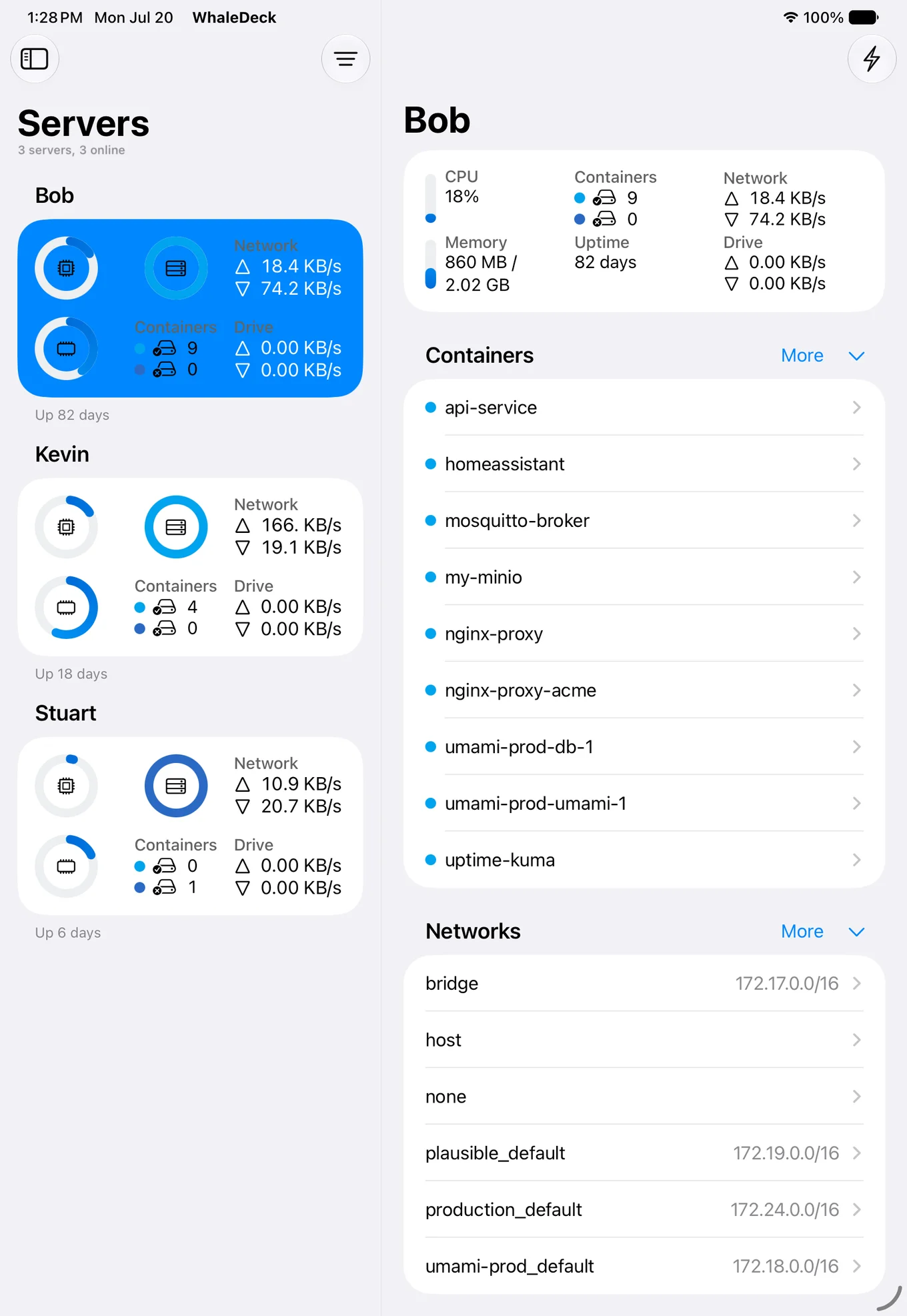

More operational context
Use the iPad display to move between servers, containers, logs, resources, mounts, ports, and networks with less navigation.
WhaleDeck for iPad
Monitor and manage remote Docker containers from iPad with spacious native views for logs, server resources, images, networks, volumes, and automation.
Manage one server for free. Optional one-time Pro upgrade.
WhaleDeck is a Docker manager for iPad that connects to remote Docker hosts and uses the larger iPad display for container lists, server metrics, logs, and detailed resource inspection. It manages existing environments rather than running Docker Engine on iPadOS.
An iPad can be more than an emergency remote control. Its larger display makes it practical to compare server status, current resource values, container state, logs, and configuration relationships without the density of a desktop dashboard or the navigation limits of a phone.
WhaleDeck provides a native iPad interface for Docker environments running elsewhere. It is suited to a desk, workshop, home lab, or mobile operations workflow where you want persistent visibility and direct controls without maintaining a browser tab or remote terminal session.
Use the iPad display to move between servers, containers, logs, resources, mounts, ports, and networks with less navigation.
Keep important infrastructure visible at a desk or in a mobile setup while the workloads remain on their hosts.
Use WhaleDeck across iPhone, iPad, and Mac with native widgets, Shortcuts, Siri, Spotlight, and optional iCloud Keychain synchronization.
The iPad is well suited to monitoring because it can show enough information to preserve context. Begin at the server level with reachability, uptime, storage, CPU, memory, and network activity. Then narrow the view to containers that are exited, restarting, paused, or consuming unexpected resources.
A good investigation keeps status and relationships together. A container may fail because a volume is unavailable, a port changed, a network dependency cannot resolve, or the host is under pressure. Seeing these details in one native client makes the iPad useful for diagnosis, not only for triggering a restart.
WhaleDeck shows current Docker information and recent logs exposed by the host. That is ideal for immediate inspection and action. Long-term metrics, alert rules, event correlation, and retained logs should still live in a dedicated observability platform that can detect problems when nobody is looking at the iPad.
The strongest workflow is layered: monitoring sends an alert, the iPad provides quick operational context, and a workstation handles configuration or recovery when the issue is complex. Each tool has a clear job, and the iPad remains useful without pretending to be a complete monitoring backend.
Container state is only the beginning. Review restart policy, image, ports, environment, mounted volumes, connected networks, and recent output. Use the workload health check, monitoring system, or a representative request when application readiness must be verified. Inspect images for tags and dependencies, networks for connected containers, and volumes for container relationships before performing cleanup.
The additional screen space is especially helpful when switching between a list and a detail view. You can establish whether a problem is isolated, shared by a Compose stack, or caused by a server-level resource constraint before choosing an action.
Place a small set of high-value server or container widgets on the Home Screen for glanceable awareness. Use Spotlight when you know the target name. Build Shortcuts for read-only summaries or carefully scoped actions that identify the exact server and container.
Widget refreshes are snapshots rather than guaranteed real-time alerts, and automated actions need verification. Use these integrations to reduce friction while keeping operational safeguards, monitoring, and recovery processes in place.
Not through a normal Docker Engine installation. WhaleDeck manages containers that run on a remote Linux server, NAS, Mac runtime, or another Docker host.
Yes. WhaleDeck can show current server resources, container state, logs, images, networks, and volumes in a native iPad interface.
No. It complements historical monitoring and alerting by providing a portable interface for current inspection and lifecycle actions.
WhaleDeck is presented as a universal Apple-platform product. Confirm current purchase details in the App Store listing before buying.