
Troubleshooting · 8 min read
Docker container incident checklist: inspect before you restart
Use a repeatable Docker incident checklist to preserve evidence, identify host or dependency failures, choose a safe action, and verify recovery.

typ0genius · Published
In short
Before restarting a Docker container, confirm the host and target, record its state and restart history, inspect recent logs and resource pressure, verify ports, volumes, networks, and dependencies, then decide whether a restart is reversible and safe. After acting, verify application health rather than relying only on the running state.
Restarting is a useful recovery action, but it is also a way to erase evidence and postpone a recurring failure. A short checklist makes incident response faster because it reduces guesswork and gives every operator the same investigation order.
The checklist works from broad causes to narrow ones. It begins with the host, then moves through container state, resources, configuration relationships, logs, and dependencies. WhaleDeck can surface current server and container state, resource values, logs, ports, mounts, networks, image context, and restart policy from Apple devices. Use Docker inspection, host logs, and monitoring for evidence such as exit details, health-check history, configured limits, and historical peaks.
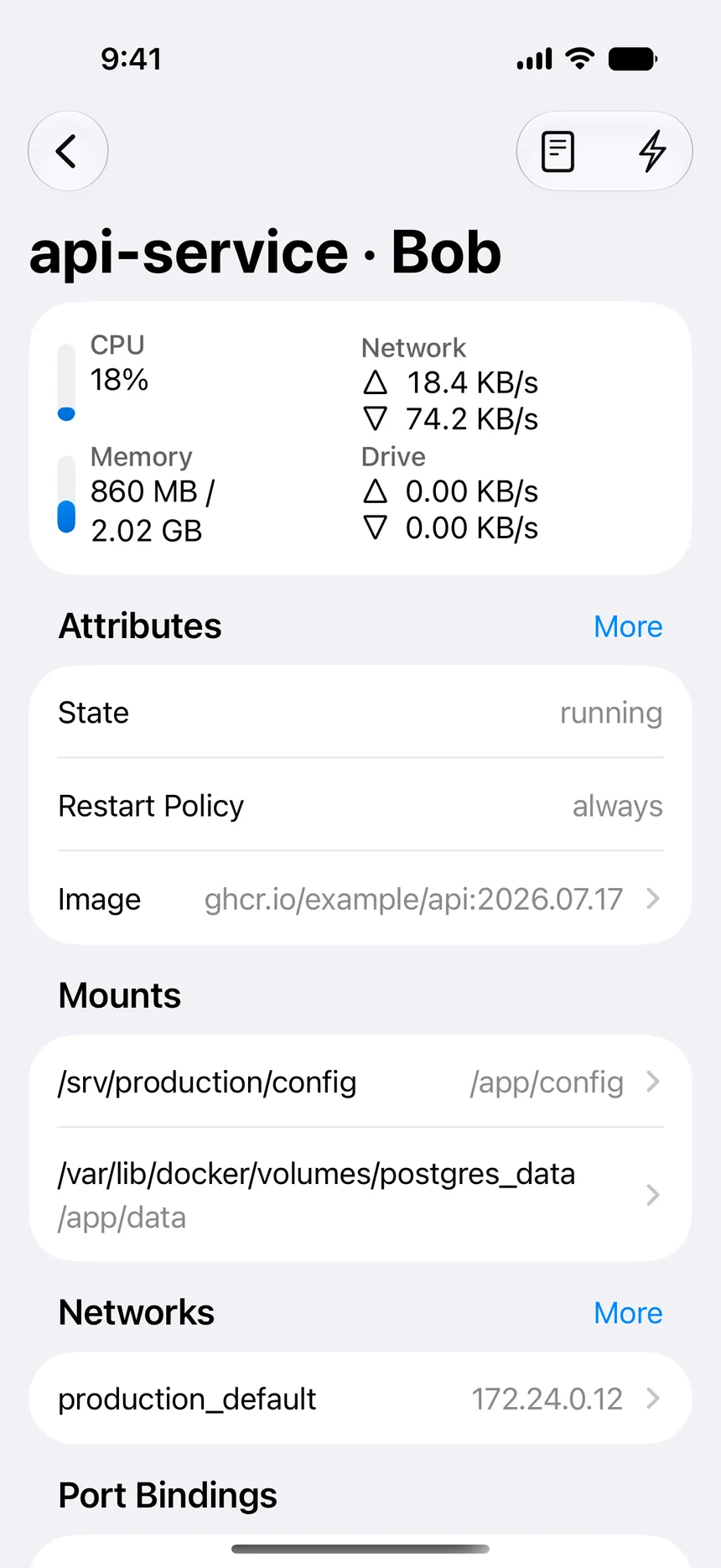

Capture the initial condition
Verify the environment, server, Compose project if applicable, and exact container name. Record whether the container is created, running, paused, restarting, or exited. Note timestamps, exit code, restart count, health state, and recent resource values. If the incident is active, preserve relevant log lines before rotation or restart changes them.
Check the host at the same time. Low disk space, memory pressure, high load, network failure, or a stopped Docker daemon can affect several services. If multiple unrelated containers changed together, look for a shared cause before applying individual fixes.
Inspect relationships and dependencies
Review port mappings, mounted volumes, environment configuration, networks, image tag, and restart policy. Confirm that required paths still exist and that a stateful volume is mounted where expected. Check whether dependent databases, queues, DNS services, reverse proxies, and external APIs are available.
Read logs in chronological context and locate the first causal error. A connection refusal may be a dependency problem; a permission error may follow a changed mount; an out-of-memory exit may point to host pressure or an unsuitable limit. Choose an action that addresses the likely cause rather than only the final symptom.
- Identity, state, exit code, restarts, and health.
- Host CPU, memory, storage, network, and daemon status.
- Ports, mounts, environment, image, network, and restart policy.
- Recent logs and the first relevant error.
- Upstream and downstream dependencies.
Choose and verify the recovery action
A restart is reasonable for a known transient failure when the workload is safe to interrupt and required state is externalized. A configuration error needs a reviewed configuration change. Storage corruption, missing data, failed migrations, or security indicators require a dedicated recovery or incident process instead of repeated restarts.
After the action, watch startup logs, health checks, resource values, and dependency connections. Test the user-visible function if possible. Record what changed and whether the problem returned. A container that remains running for thirty seconds may still be unable to serve requests or persist data correctly.
Turn repeated incidents into engineering work
If the same manual recovery happens more than once, create a follow-up item. Improve health checks, resource limits, log clarity, alerting, restart policies, backup verification, or deployment validation according to the cause. Do not automate an unexplained restart loop and call it reliability.
Keep the checklist short enough to use under pressure and adapt it to the services you operate. Stateful databases, public gateways, and disposable workers need different approval and recovery steps even when all three run as Docker containers.
Frequently asked questions
Is restarting a Docker container safe?
It depends on the workload, persistence model, and current failure. Confirm data is externalized, interruption is acceptable, and the restart addresses a plausible transient cause.
What does a running container state prove?
It proves that the container process is currently running. It does not prove that the application is healthy, reachable, correctly configured, or serving valid responses.
What evidence should I save before a restart?
Save the target identity, state, timestamps, exit code, restart count, health, host pressure, relevant log lines, and any unusual ports, mounts, networks, or dependency failures.