
Guide · 8 min read
Choosing a Docker Desktop alternative for Mac
Compare the roles of a Docker runtime and a native Docker management client on macOS, then decide which setup fits local and remote container workflows.

typ0genius · Published
In short
A suitable Docker Desktop alternative for Mac must cover the parts of your workflow you actually need: a local container runtime, a graphical management client, or both. WhaleDeck is a native management interface for Docker hosts; it does not replace the Docker Engine required to run Linux containers locally.
The phrase Docker Desktop alternative can describe two different products. One category runs Linux containers on macOS by providing a virtual machine and Docker-compatible runtime. The other category manages an existing Docker Engine through a graphical interface. Comparing tools without separating those roles leads to the wrong choice.
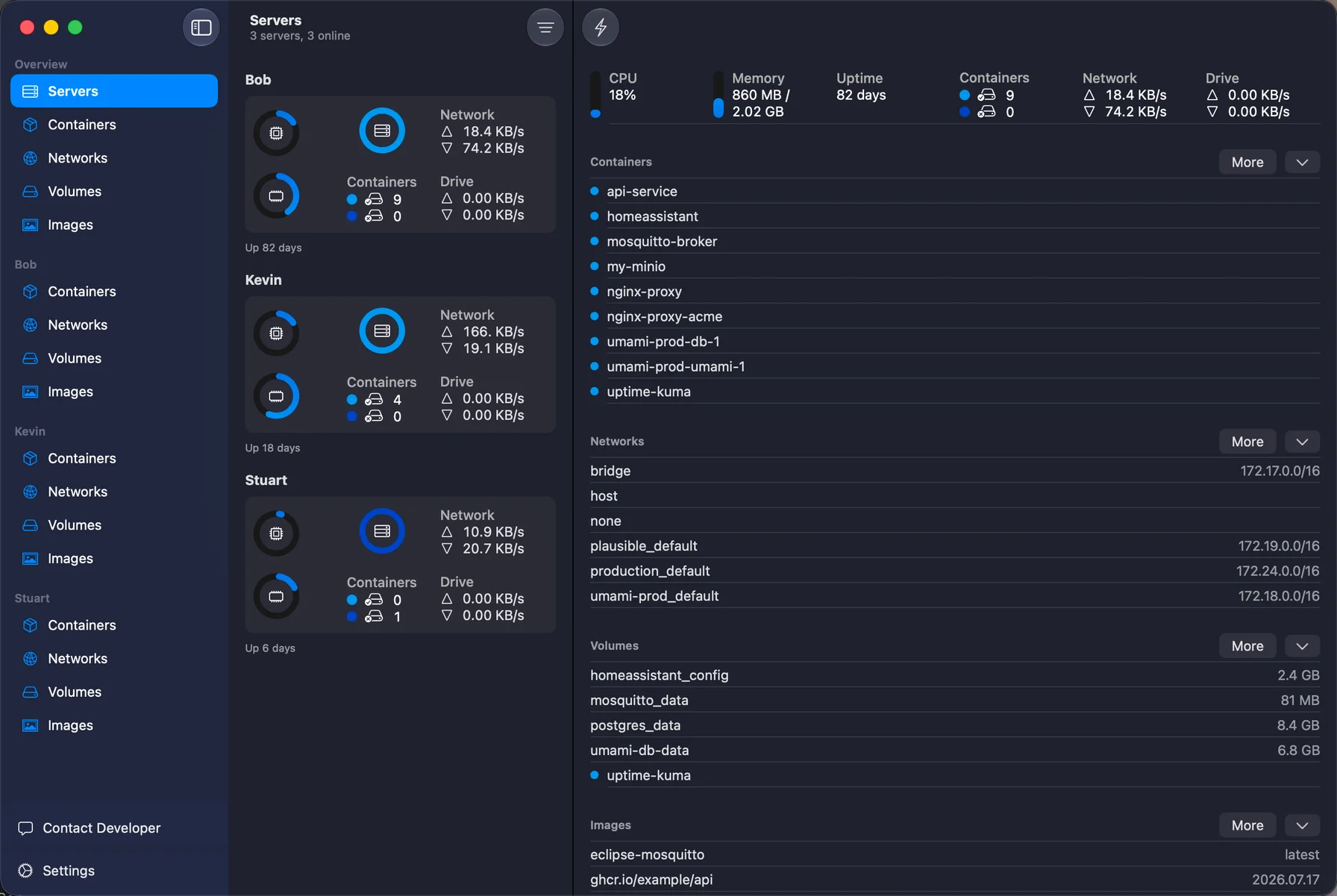
WhaleDeck belongs to the management-client category. It connects to Docker environments and provides native views for containers, images, networks, volumes, logs, and resource statistics. If you need to run Linux containers locally on a Mac, you still need a compatible runtime. If your containers already run on a server, NAS, lab machine, or another local runtime, a dedicated client may be the only additional layer you need.

Separate the runtime from the interface
Linux containers need Linux kernel features. On macOS, a local container runtime therefore uses a virtualized Linux environment or an equivalent compatibility layer. That runtime owns image storage, networks, volumes, and the daemon that starts containers. A management client communicates with a Docker-compatible endpoint and presents those resources, but it does not create the underlying Linux kernel environment.
This separation can be useful. Teams often run containers on remote Linux hosts while developers use Macs as control and development machines. In that case, installing another heavyweight local runtime only to inspect a remote host may be unnecessary. Conversely, a developer building images and running a full local stack still needs a local runtime even if a separate client offers a better interface.
Compare tools against concrete jobs
Create a short list of jobs instead of comparing feature counts. Typical jobs include finding a stopped container, reading logs, checking CPU and memory, validating port mappings, inspecting mounted volumes, pulling an image, or switching between several servers. A tool is valuable when it makes these frequent jobs faster without obscuring important details.
Also review how destructive operations are presented. Removing a volume is materially different from restarting a stateless container. Clear target names, confirmation steps, dependency context, and visible state changes matter more than decorative dashboards. For remote environments, connection security and credential handling belong in the primary evaluation, not an afterthought.
- Runtime support: Can it actually run the containers you need?
- Remote access: Can it reach your existing Docker hosts securely?
- Observability: Are logs, status, ports, mounts, networks, and resource data easy to inspect?
- Operations: Are lifecycle and cleanup actions clear and appropriately guarded?
- Platform fit: Does it integrate with macOS features you use every day?
Use a two-layer setup when it fits
There is no requirement that one application provide every layer. A lightweight runtime can run local containers while a native management client supplies the interface. The same client can also connect to remote Docker servers, reducing context switching when you move between a laptop project and a home lab or production host.
Validate compatibility before standardizing the setup. Run a representative Compose project, inspect its networks and volumes, follow logs under load, restart one service, and confirm that data persists as expected. Document which component owns the runtime and which component is only a client so that troubleshooting starts at the correct layer.
Frequently asked questions
Does WhaleDeck run Docker containers locally on macOS?
WhaleDeck is a Docker management client. A Docker-compatible engine or runtime is still required wherever the containers run, including for local Linux containers on a Mac.
Can a management client connect to more than one Docker server?
Yes, multi-server management is a common reason to use a dedicated client. Each connection should use its own clearly named and securely stored credentials.
What is the most important comparison criterion?
Start with role coverage: verify whether the product is a runtime, a client, or both. Then compare it against the real operational tasks and security requirements in your environment.