
Read-only summaries
Retrieve a server overview or container status before a work session, maintenance window, or manual decision.
Apple Shortcuts
Use WhaleDeck actions in Apple Shortcuts to check Docker status, retrieve server overviews, and run carefully scoped container routines.
Manage one server for free. Optional one-time Pro upgrade.
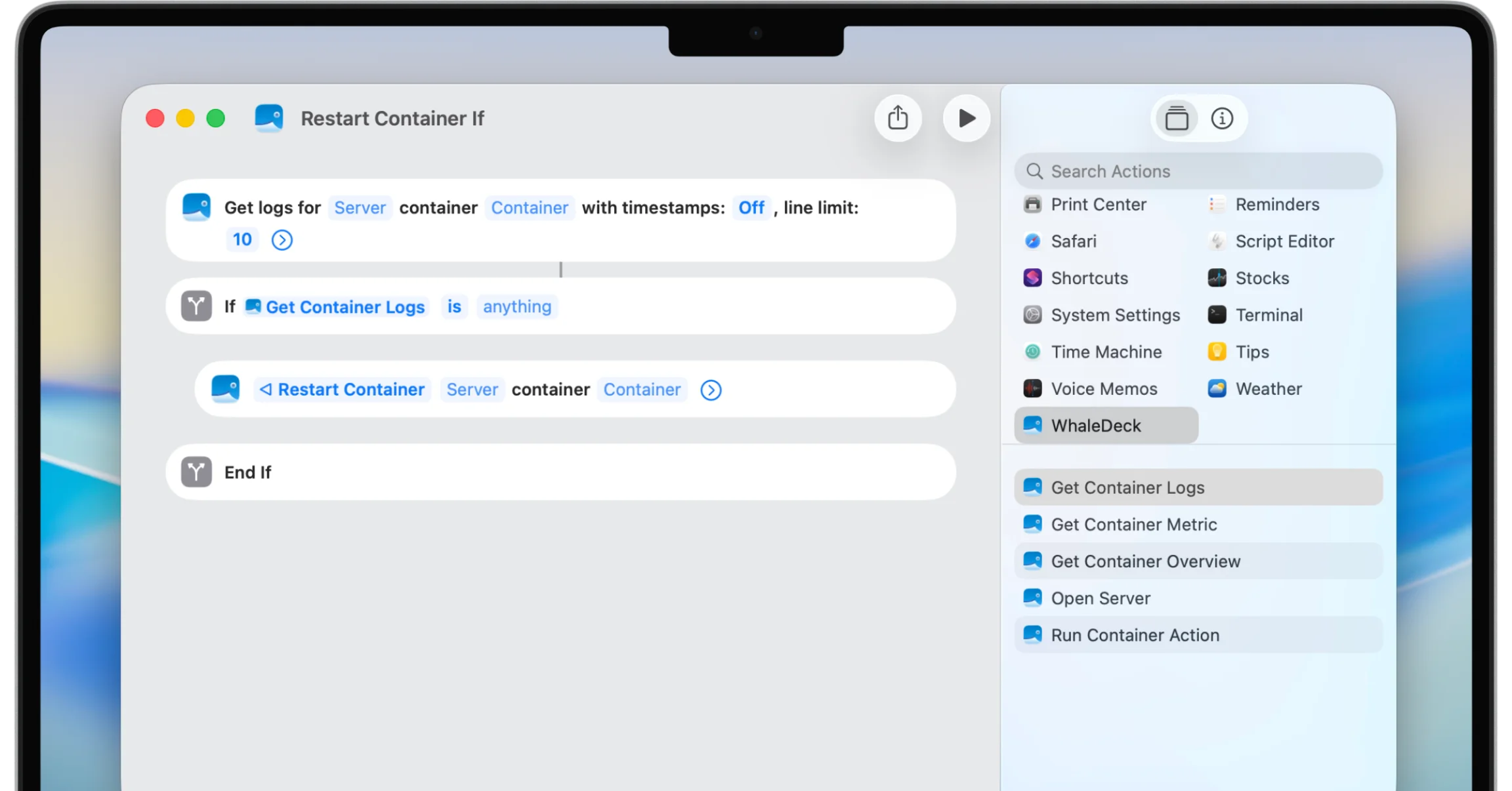
WhaleDeck integrates Docker management actions with Apple Shortcuts so a routine can check server or container state and perform a specifically defined action. Safe automations name the exact target, validate preconditions, request confirmation where needed, and verify the result.
Shortcuts can reduce the friction of repeated Docker tasks across iPhone, iPad, and Mac. A routine can be launched manually, through Siri, or from a supported automation trigger. The value is not unrestricted administration; it is a reliable path through one clearly understood operation.
Automation also removes moments when a person might notice the wrong server or an unexpected state. WhaleDeck actions should therefore be assembled with explicit targets, visible results, and failure handling rather than used to create a generic one-tap control panel for every environment.
Retrieve a server overview or container status before a work session, maintenance window, or manual decision.
Start or restart a known service through a shortcut that identifies and validates the target.
Connect Docker routines to the Apple automation tools already available on your devices.
A status check is the safest first shortcut. Select one server, retrieve its overview, and present the result. Extend it with a specific container check when the target and expected state are stable. This validates the connection and output without changing a workload.
Read-only routines are useful at the start of a day, before a deployment, or after a monitoring notification. They can shorten navigation while preserving the human decision about whether an action is required.
A restart shortcut should name the server and container, fetch current state, and stop when the preconditions are unexpected. Manual confirmation should show the human-readable target. After the request, the shortcut should query state again and report whether the process actually started.
Avoid unattended deletion, pruning, volume removal, or database actions. These operations depend on ownership and data context that a generic trigger cannot safely infer. A successful request also does not guarantee application health, so verification must extend beyond the API response.
Apple automations can run from time, location, device state, or another supported event. The trigger only explains when the shortcut starts. It does not know whether a deployment is active, storage is full, a dependency is down, or the service is safe to interrupt.
Use scheduled triggers for summaries and low-risk checks. When automated recovery is required, implement health checks, restart policy, orchestration, and alerting close to the workload. The Shortcut can remain the human-facing notification or approval layer.
Network loss, expired credentials, renamed containers, and unavailable hosts are normal failure modes. A robust shortcut should stop, state what failed, and provide a path into the relevant WhaleDeck view. Silent failure makes automation less trustworthy than a manual check.
Review shortcuts when servers or ownership change. Remove retired targets and credentials, test important routines after app or OS updates, and document which automated actions are allowed in shared environments.
Yes, when WhaleDeck exposes the action and the selected connection has permission. Add target validation and result verification.
Supported Shortcuts can be invoked through Siri. Use distinctive phrases and confirmation for actions that change services.
Usually not as a substitute for reliability engineering. Prefer health checks, restart policies, monitoring, and root-cause fixes.
A read-only server or container status summary with a clearly named target.