
Image visibility
Review tags, sizes, labels, creation information, and container dependencies before pulling or removing images.
Docker resources
Inspect Docker images, networks, volumes, dependencies, sizes, tags, mounts, subnets, drivers, and connected containers from Apple devices.
Manage one server for free. Optional one-time Pro upgrade.
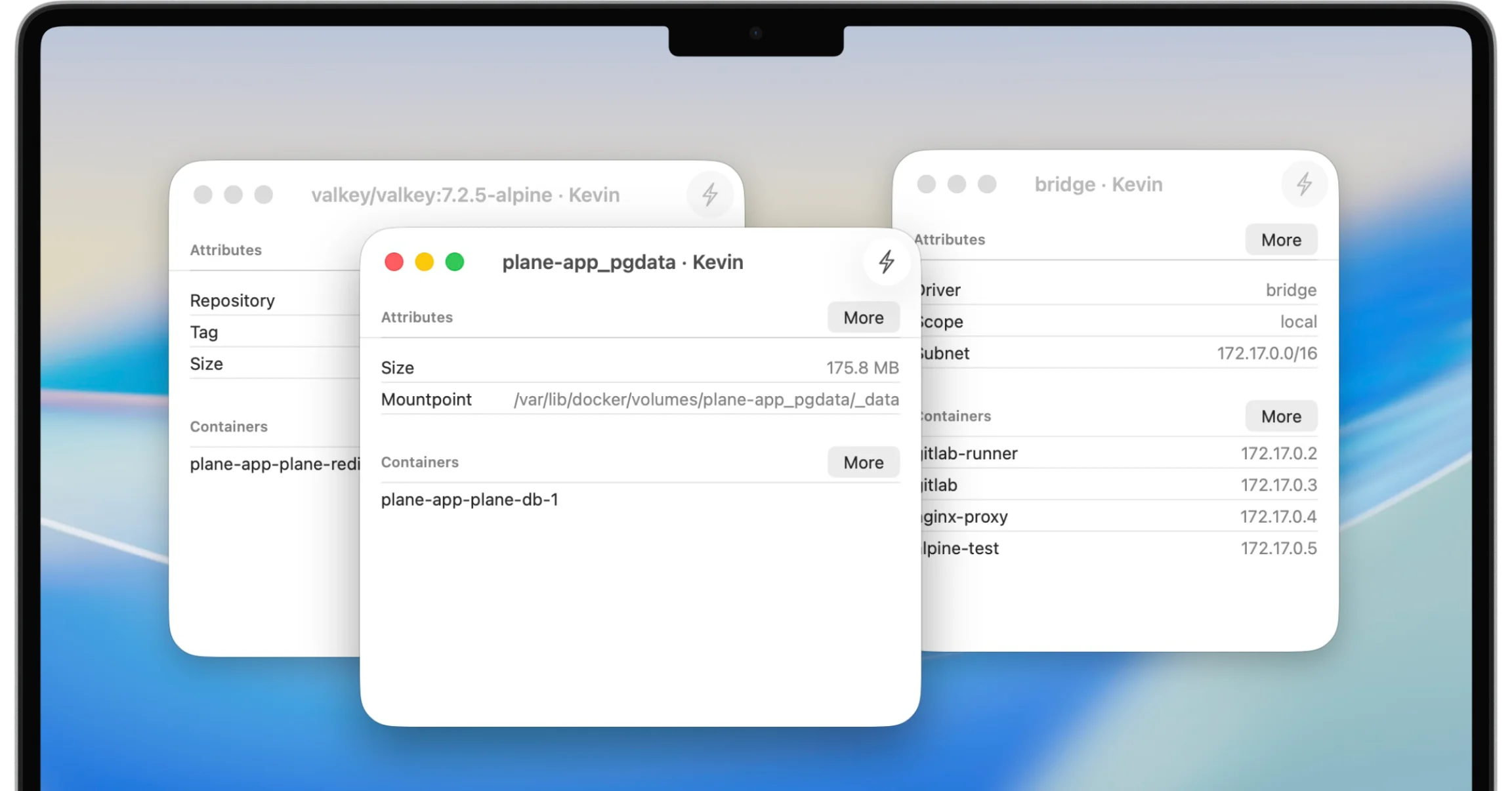
WhaleDeck provides graphical views for Docker images, networks, and volumes alongside containers. Operators can inspect relationships and attributes before pulling, pruning, or deleting resources, reducing the risk of treating every unused-looking object as safe to remove.
Containers are only one part of a Docker environment. Images determine what runs, networks connect services, and volumes retain data beyond a container lifecycle. Operational mistakes often happen when these resources are cleaned up without understanding their dependencies.
WhaleDeck exposes them as first-class views on iPhone, iPad, and Mac. The goal is not merely to list resource names. It is to show enough attributes and relationships to support a safer decision.
Review tags, sizes, labels, creation information, and container dependencies before pulling or removing images.
Inspect drivers, addressing attributes, and connected containers when troubleshooting communication.
See mount information and dependent containers before pruning storage that may contain persistent data.
An image tag can identify a version, a moving channel such as latest, or a locally built artifact. Review tags, IDs, creation information, size, labels, and dependent containers before removal. An image that is not used by a running container may still be required for rollback or a stopped service.
Pulling a newer tag does not automatically prove that existing containers use the new image. Understand the deployment process and recreate or update workloads through the appropriate workflow. The graphical view helps inspect state; it does not replace versioned deployment configuration.
Docker networks define which containers can communicate and how addressing is organized. Inspect the network driver, subnet and gateway information where available, labels, and connected containers. A service can be running while unreachable because it joined the wrong network or a dependency is missing.
Compare network membership with mapped host ports. Internal container communication and externally published ports solve different problems. Avoid broad changes until you know whether the failure is inside the Docker network, at the host firewall, or in an upstream proxy.
Volumes often contain the only persistent copy of application data. A volume may appear detached after a container was recreated, renamed, or temporarily removed. Check dependent containers, mount points, labels, creation information, and the application backup process before deleting it.
Pruning is not a substitute for understanding storage. Use explicit retention and backup policies for stateful workloads. If ownership is unclear, investigate on the host and preserve the volume until the data is identified.
A container detail view should lead naturally to its image, networks, and volumes. This relationship is useful during incidents because a log error can point to a mount, a connectivity failure to a network, or an unexpected behavior to an image change.
WhaleDeck keeps those views in the same client so the operator can move from symptom to dependency without rebuilding context in several commands. Complex changes should still be reflected in version-controlled Compose or deployment files.
WhaleDeck provides volume inspection and management capabilities. Verify dependencies and backups before removing persistent storage.
Network details can expose connected containers and relevant network attributes available from Docker.
No. Pulling obtains image data; the workload must be recreated or updated through its deployment process to use it.
Not automatically. Confirm ownership, data value, backups, and whether a stopped or recreated service still needs it.